Nostalgia
One photograph · the whole story
Bring one photograph back. Keep the people and the story true.
Compare a real restoration, try your own free, then keep the original, the names, and the memories together.
- Your original is never overwritten
- No account before the result
- Nothing public by default

 Original
- 01Comparenow
- 02Restorenext
- 03Choosenext
- 04Continuenext
A careful comparison
Would you choose this restoration?
Move the divider above. Check the face, hands, clothing, edges, and writing. A result can help without replacing the original.
Try it for real
Use the web app before you make an account.
Choose one photograph you have permission to use. Nostalgia restores it here, shows the full comparison, and asks whether you would choose it.
Free · no account
Restore one photo free
Your original stays separate from the result. Pick a photo. A short privacy permission comes after. Takes about 2 minutes.
Or drop a JPG, PNG, HEIC, or TIFF here (up to 75 MB). A short privacy permission comes next. If you don't create an account, your upload is deleted automatically.
One free restore on the web · about 2 minutes. Your uploaded original stays separate from the result. Saving or restoring another photo needs a free account. Failed runs are refunded automatically.
The restore is the beginning
A photograph becomes useful when its story stays with it.
The web restore is the first moment. These are the real app screens that keep that result, its people, and its story together.
- 01
Every version
Keep the original beside every result.
A restoration never replaces your photo. Compare it with the original, restore again when needed, and choose which result to keep.
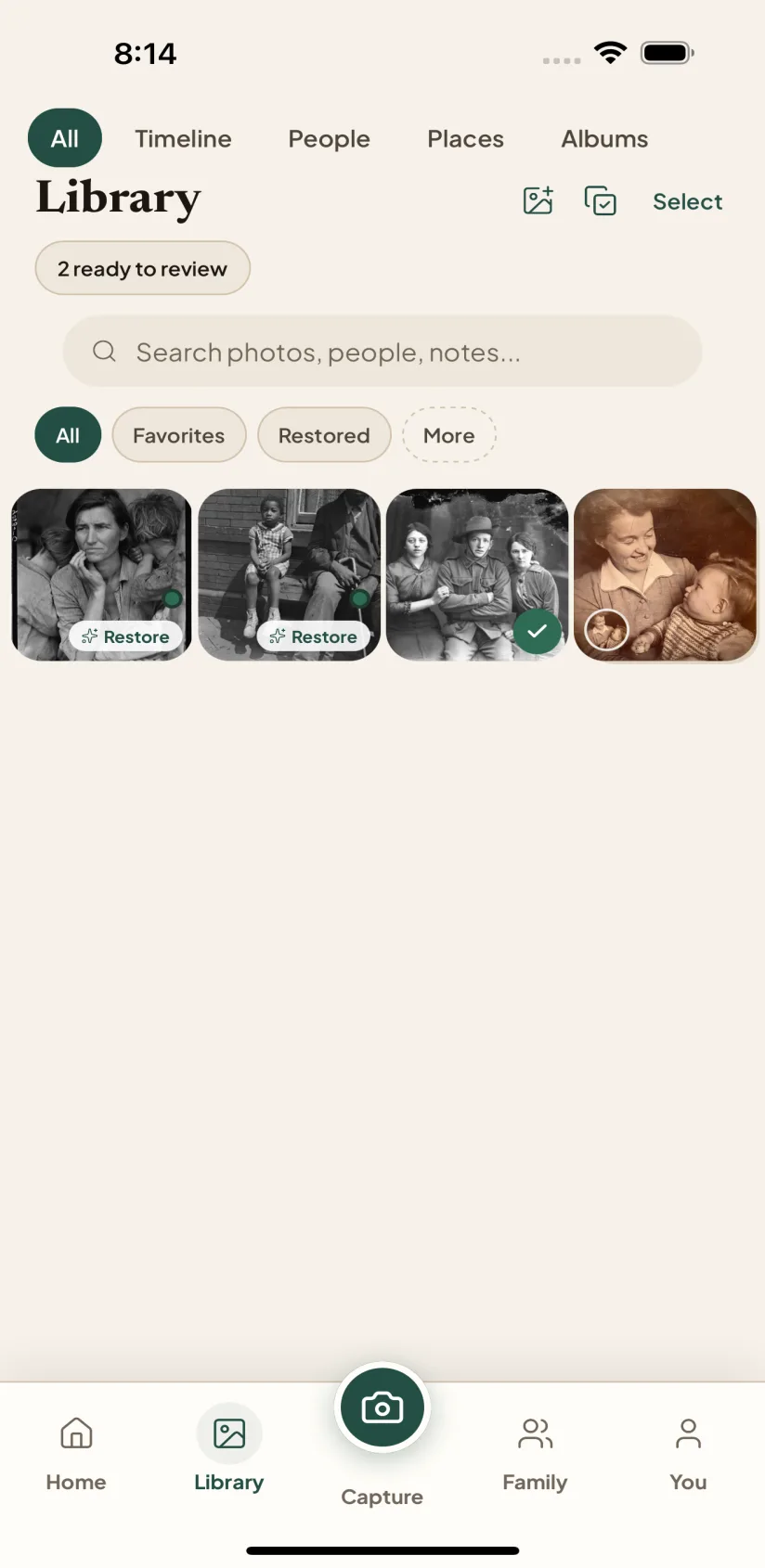
The real Nostalgia comparison screen on iPhone. - 02
A careful next step
Let the photograph suggest the next careful job.
Nostalgia can suggest a safer next step: reduce noise, rescan the print, identify a person, or stop. The decision stays with you.
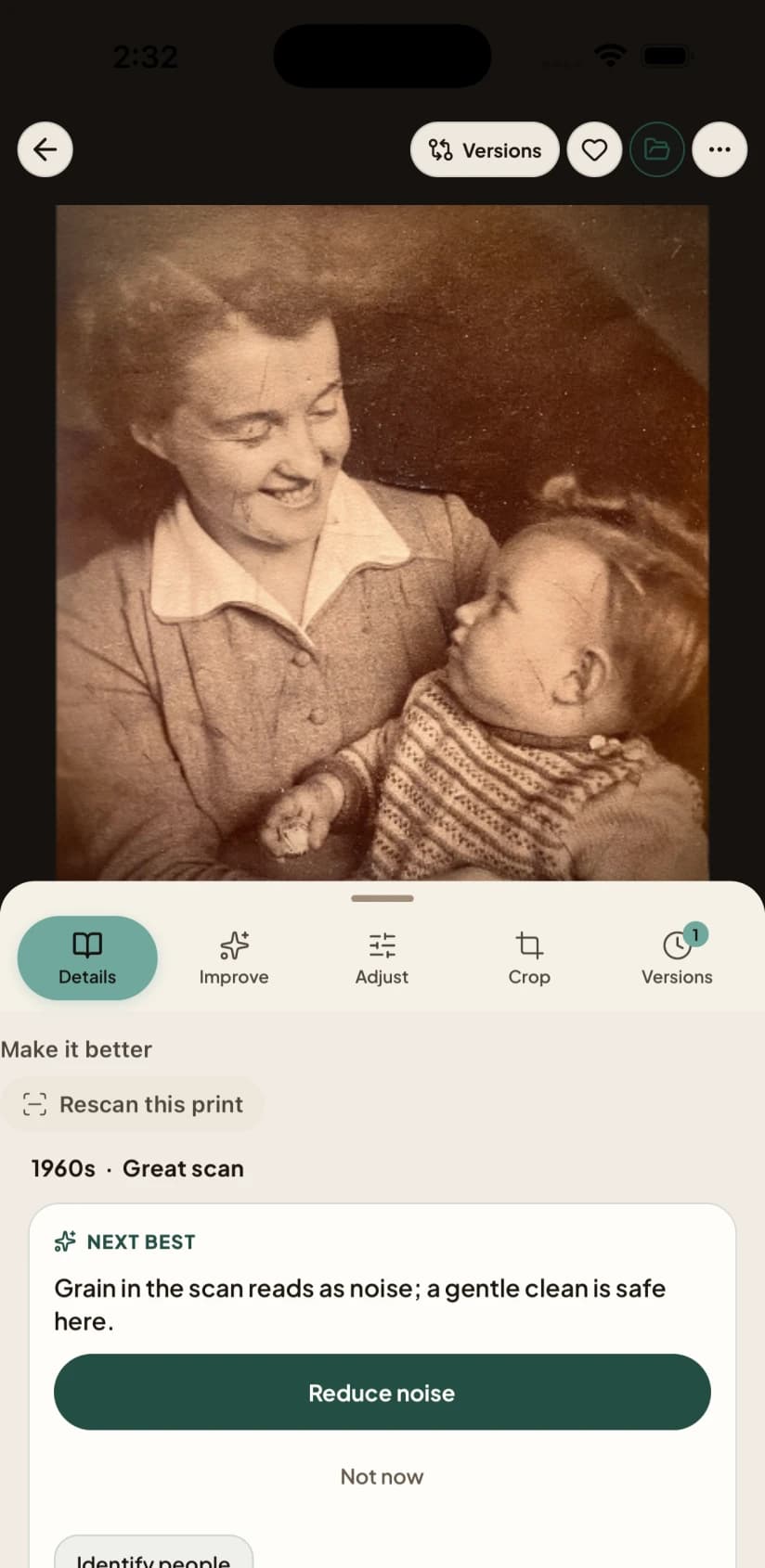
A next-best action from the real Nostalgia app. - 03
Ask the family
Share a few photographs. Keep the rest private.
Name the people, collect photographs into private family spaces, or ask a relative what they remember. You choose what leaves your collection and what becomes family fact.
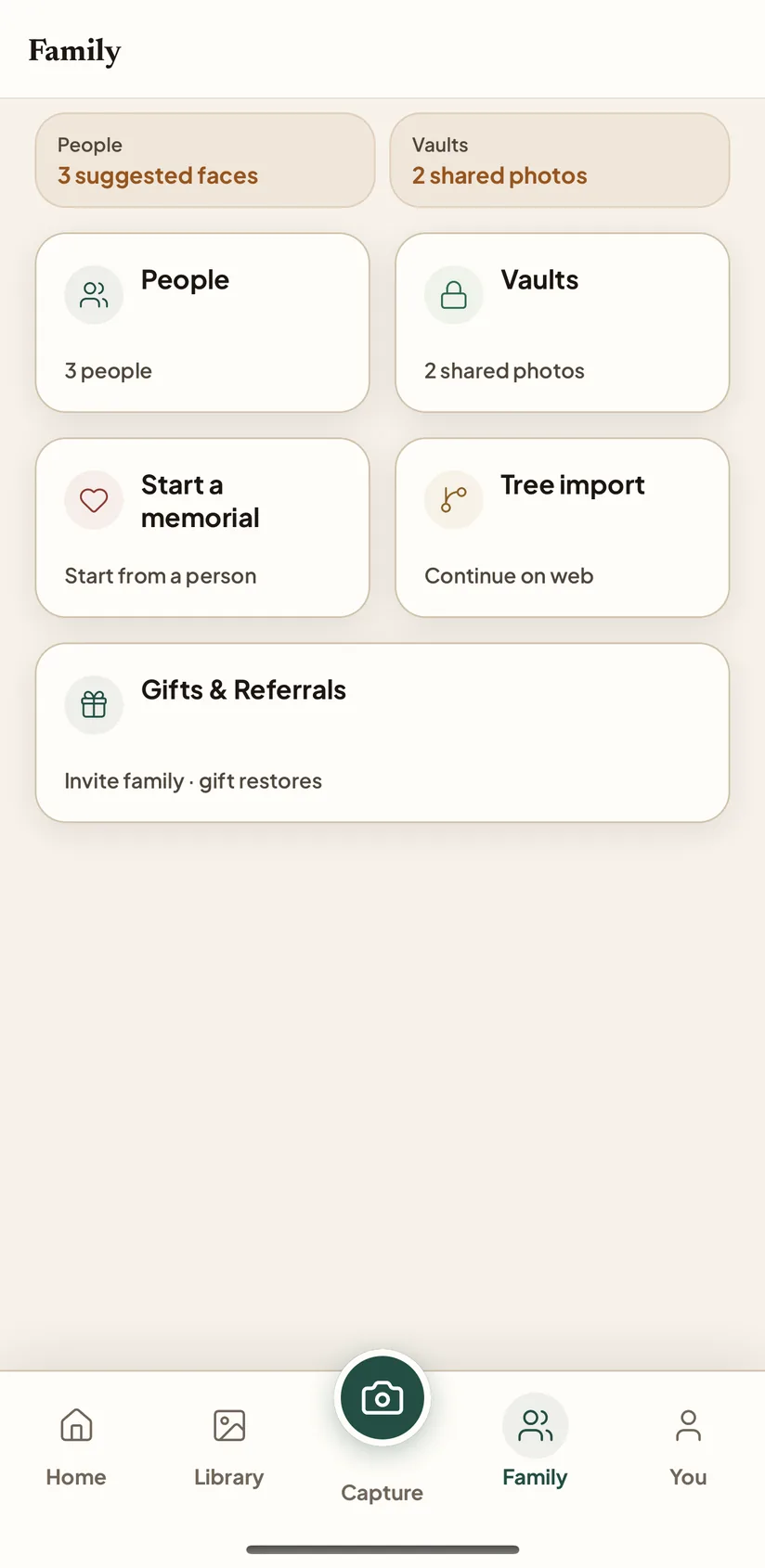
The Family workspace in the real Nostalgia app.
Nostalgia
Start with one photograph. Add the rest at your own pace.
Try the real web restore here, or use the app when scanning prints is the better job.