Review a face group. Name the person.
Nostalgia clusters faces across every photo in your private Archive, and it can recognize the same person across the decades, so a school portrait and a retirement photo land in the same group. Confirm, skip, or merge each suggestion; add a date of birth and confirmed photos build the person timeline. People lives in Family so names, vaults, memorials, and tree context stay together.
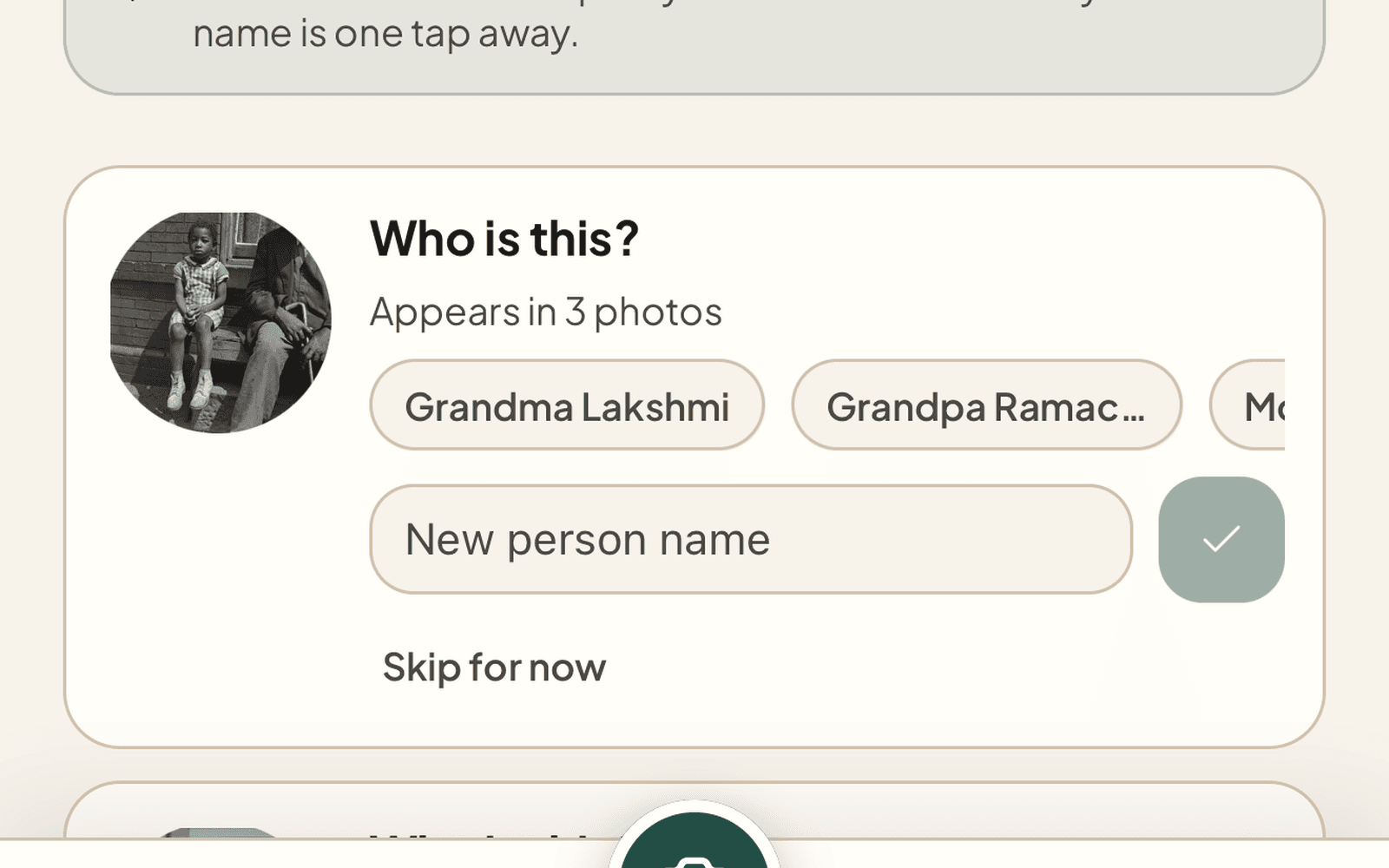
Unnamed groups appear in Family People - confirm or skip
From a stranger’s face to a named relative
Restore and upload
Faces are detected automatically as photos enter your Archive, no extra step, no separate scan.
Confirm a cluster
When the same face appears in a few photos, the group appears as a suggestion. Tap to confirm and give it a name. If you have imported a family tree, the people from your tree appear right in the naming sheet, so the face links to the relative you already have on record.
The archive organizes itself
Every future photo of that person is linked back to the same record. Their dedicated page collects every appearance, chronologically.
Start with restore, continue in Family People
New users should restore one photo first. Signed-in archivists can go straight to Family People to confirm names, open a person record, and connect those people to vaults, memorials, and tree imports.
What People & Faces handles
Per-User Clustering
Embeddings are computed and clustered inside your account only. We do not pool faces across customers. Your archive is matched to itself.
Names Stay Private
No public surfacing of names until you confirm a cluster. Skip a suggestion and it stops asking. Delete a person and every link is removed.
Person Detail Pages
Every named person gets a chronological page of every photo they appear in, the closest thing to a Life Book that doesn’t need a second app.
The Same Person, Decades Apart
Faces change over a lifetime; the matching is built for that. A relative’s photos from the 1960s and the 2000s can land in the same group, so one confirmation collects a whole life.
“On This Day” Memories
Once people are named, the archive starts handing moments back: the photo from this date, years ago, with the people who were in it resurfaces on its own.
Mobile Parity
People review and Person detail are available from Family on web and mobile. Shared photo links can still land on the right person detail when the app has enough context.
The archive becomes a family, once you name them
Restore a photo, confirm a face, give them a name. Every restoration after that helps the archive organize itself.