NostalgiaFamily Archive

Bring your family's photos back — before the stories behind them are gone.

Repair the fading, scratches, and water damage that time leaves behind — then keep the names, dates, and the story attached, in a private archive built to outlast the shoebox it came from.

Free to start in your browser — no download needed. The iPhone app adds print scanning on the go.

Live on iPhone App Store · since April 2026Never sold or used to train AIYour originals are always preservedBuilt after a personal loss
Same ambrotype restored with dramatically recovered contrast and detailRestored
Faded Civil War era ambrotype of a young soldier in ornate caseOriginal

A faded glass-plate portrait, brought back to life. Drag to compare — your original is always kept safe.

ScanSnap or upload the print
RestoreRepair scratches & fading
KeepNames, dates & story attached
SharePrivate links & family vaults
Try it — no sign-up

Pick a damaged photo and watch it come back

See the AI’s repair plan, then drag to reveal the result.

Ready to start?Get the mobile appWant proof first?Browse the best transformationsWorking from a family tree?See the archivist overviewPlanning a larger collection?Compare Free, Plus, and Pro
Mobile workflow

Scan, restore, compare, and share from the phone

The mobile app is the primary experience for the photo in front of you. It keeps capture, Photo Insight, restoration, keeper review, and private sharing in one flow.

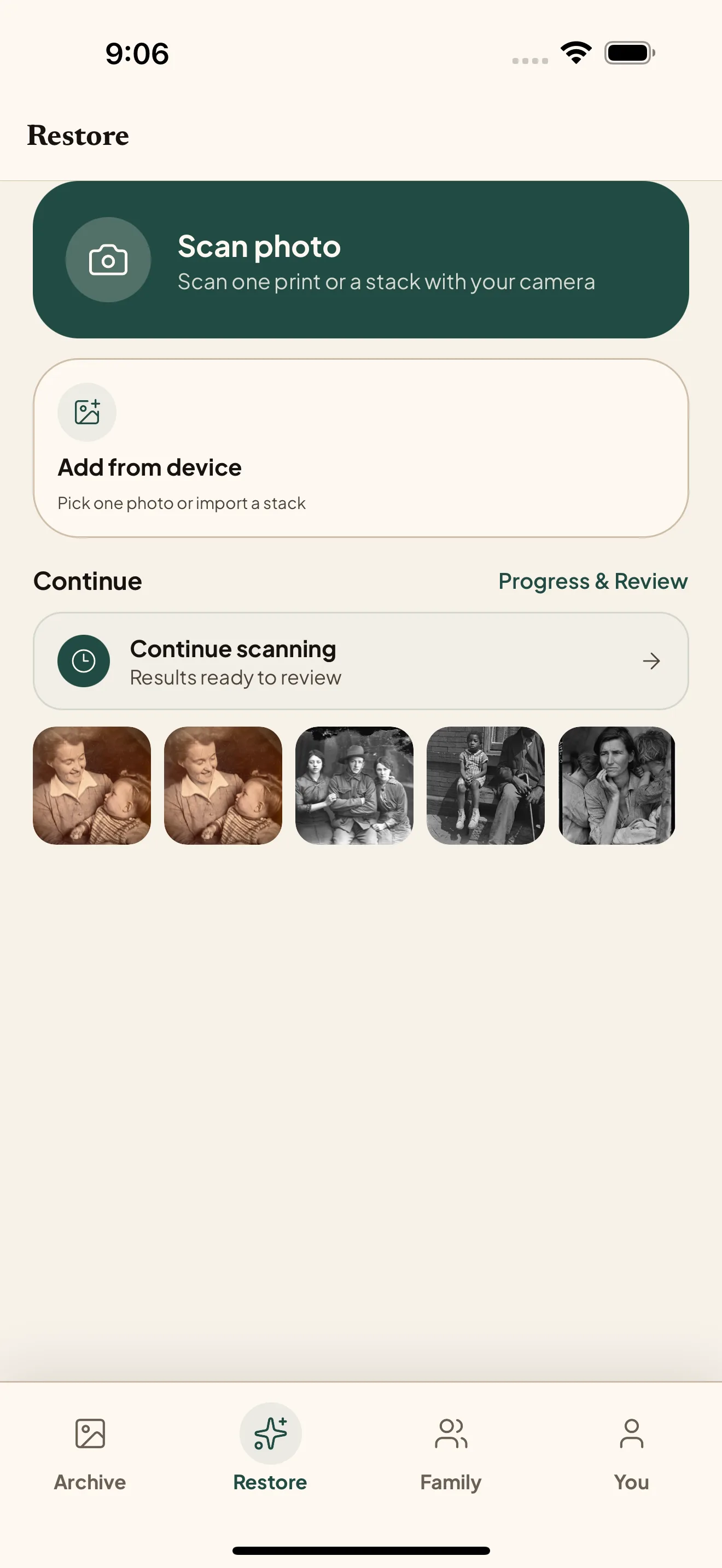
Nostalgia mobile restore home with repair tools and recent work.
01

Start from the restore tab

Pick the tool, upload or scan, and keep the next restore action close at hand.

Nostalgia mobile scan and batch review screen.
02

Review the scan first

Batch and scan review help you decide what is ready before spending restore room.

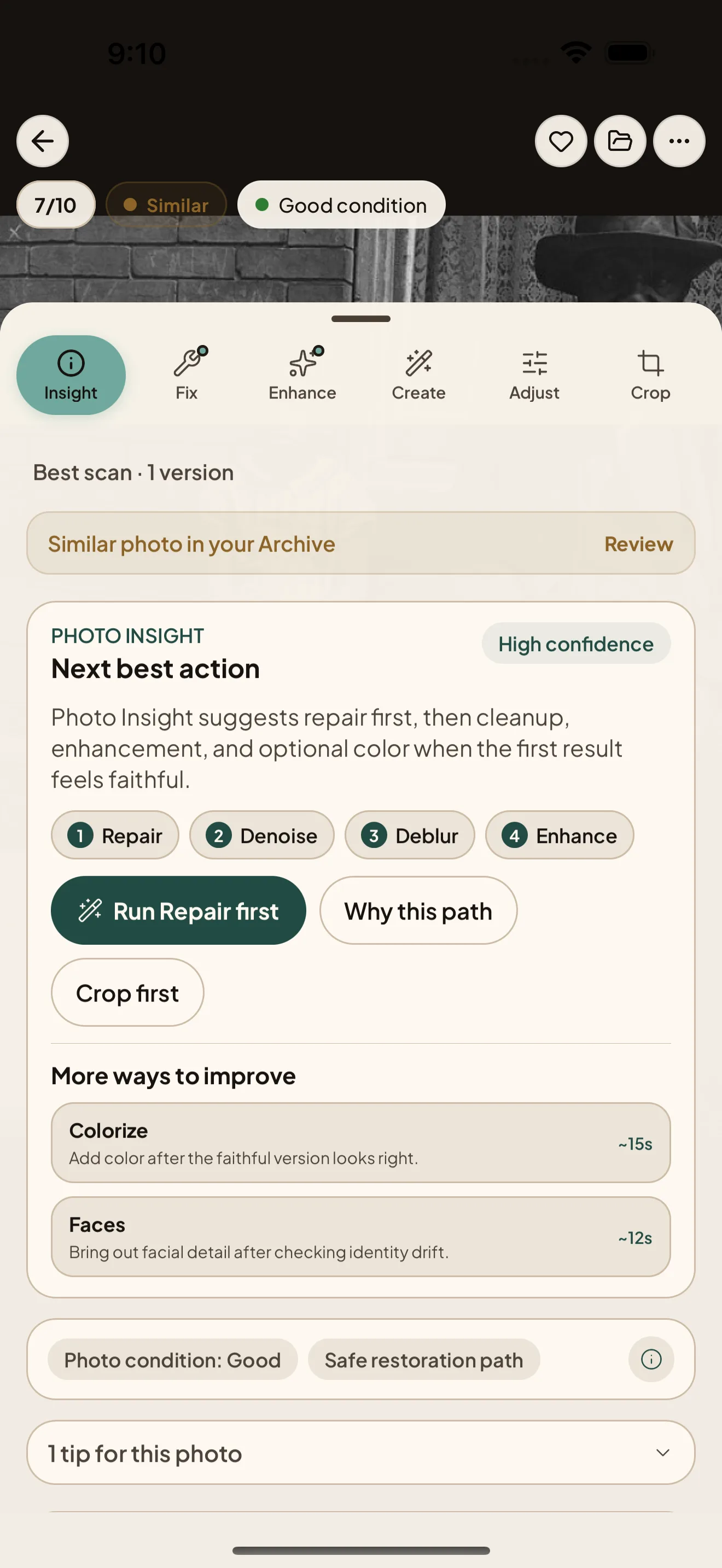
Nostalgia mobile Photo Insight screen with next action guidance.
03

Follow Photo Insight

Photo Insight points to the next useful action: better capture, repair, caption, people, or sharing.

Nostalgia mobile compare and keeper sharing screen.
04

Compare and choose

Keep the Original beside the result, choose a Keeper, then share privately.

The web app

Use web when the archive gets bigger than one phone screen.

Mobile is the best way to capture and restore. Web is the workspace for imported trees, larger batches, review queues, paid Family Vaults, and careful cleanup across a collection.

Why families choose Nostalgia

Built for the archive your family can understand later.

1

Careful repair

Photo Insight checks the source first, then recommends the safest repair path before any optional color or generative step.

2

Context stays attached

Names, caption drafts, dates, notes, originals, keepers, and versions live with the photo instead of getting lost as loose files.

3

Private sharing that fits the job

Use private links for individual keepers, then use paid Family Vaults when a larger branch or collection needs shared space.

“The grandparent who knew the names doesn’t always come back.”

I started Nostalgia after losing my father. Going through old family photos, I saw how fast the faces fade — and how fast the names and stories go with them.

Free to start

Free restoration room, private by default.

Free accounts include monthly restore room, private links for individual keepers, and full Archive access. Paid Family Vaults are for shared branch or collection spaces.

  • Your photos are never shared or sold
  • Encrypted uploads, private by design
  • You keep full ownership of originals and results
  • AI never trains on your photos
  • Export or delete your data anytime

For the founder story and privacy posture, read why we built Nostalgia.

FAQ

The buyer questions that matter before you try your first photo.

What can Nostalgia restore?

Nostalgia helps with scratches, fading, tears, blur, glare, weak scans, lost contrast, and black-and-white photos that may benefit from color. Photo Insight checks the source first, then recommends the next best action that fit that photo.

Are my photos private?

Yes. Your photos are processed to deliver the restoration and archive features you request. We do not use uploaded photos or restored outputs to train AI models. You keep ownership, and you can export or delete your data.

What does it cost?

Free accounts include monthly restore room plus caption and story help. Paid-plan availability and local pricing are shown on the pricing page and in the app, with web checkout through Paddle when enabled and mobile subscriptions through the App Store or Google Play.

What happens after my first restore?

The original and restored version stay together in your private archive. From there Nostalgia recommends the next useful action: choose the keeper, name people, review caption and story drafts, add dates or notes, organize into albums, review similar photos, and share privately with relatives.

Need direct help with one important photo? Visit the Support page for a personal reply.

Working on family history? Read the archivist’s overview — how Nostalgia handles the photo side of FamilyEcho, Ancestry, MyHeritage, RootsMagic, Family Tree Maker, Gramps, or FamilySearch.

Get Nostalgia on your phone.

Start with the photo in your hand, then continue on web whenever a larger archive workspace helps.

iPhone is live on the App Store. Android remains in Google Play testing until public availability is verified.

Nostalgia - Family Archive